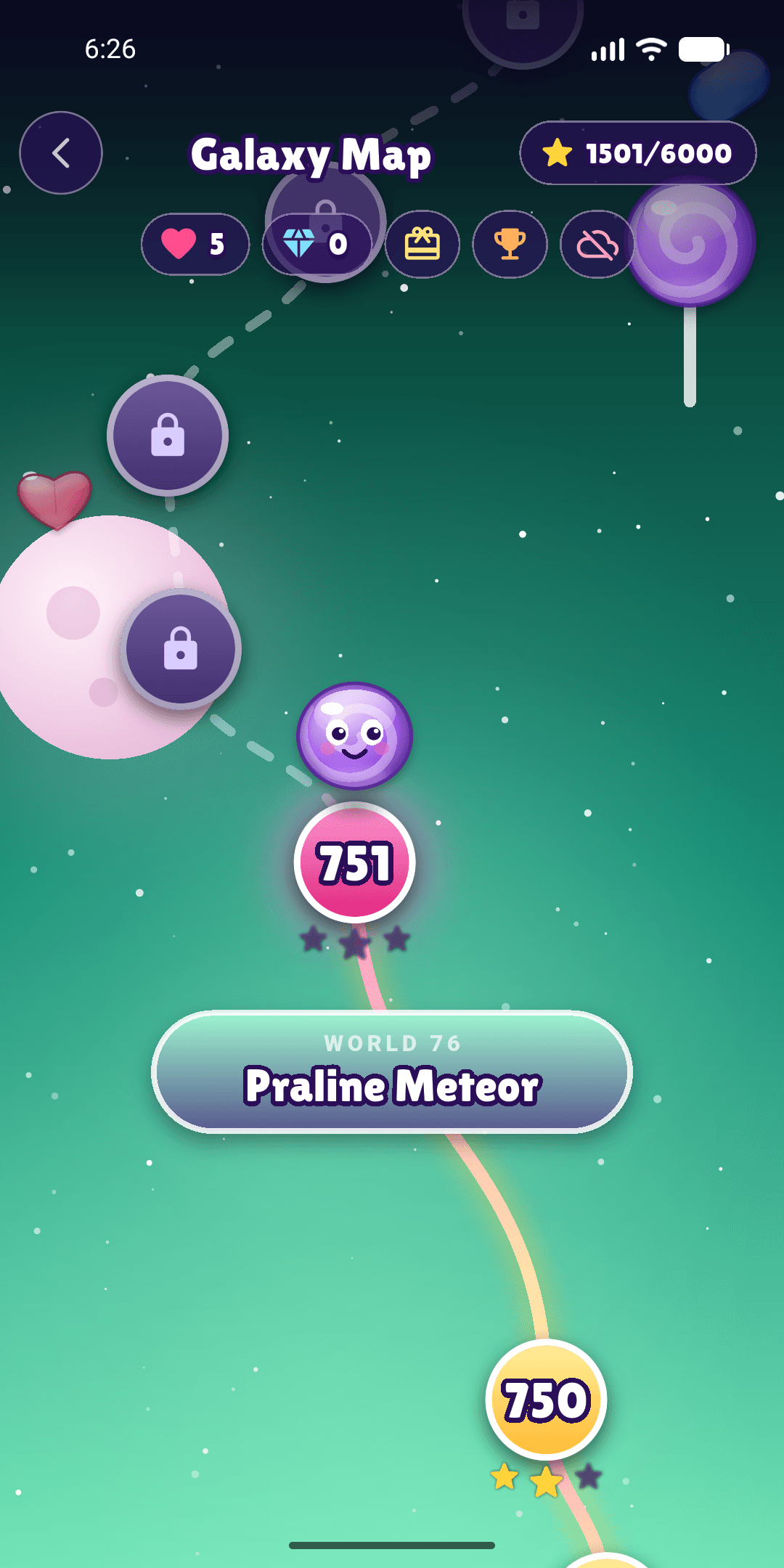
Pick a level on the galaxy map
Your mascot hops along a glowing path through 200 worlds of ten levels each. A fast-forward flight takes you straight to where you left off.

In testing Match-3 puzzle
A match-3 puzzle adventure across 200 worlds and 2,000 levels. Free to play, with full offline support and cloud saves.
Gameplay
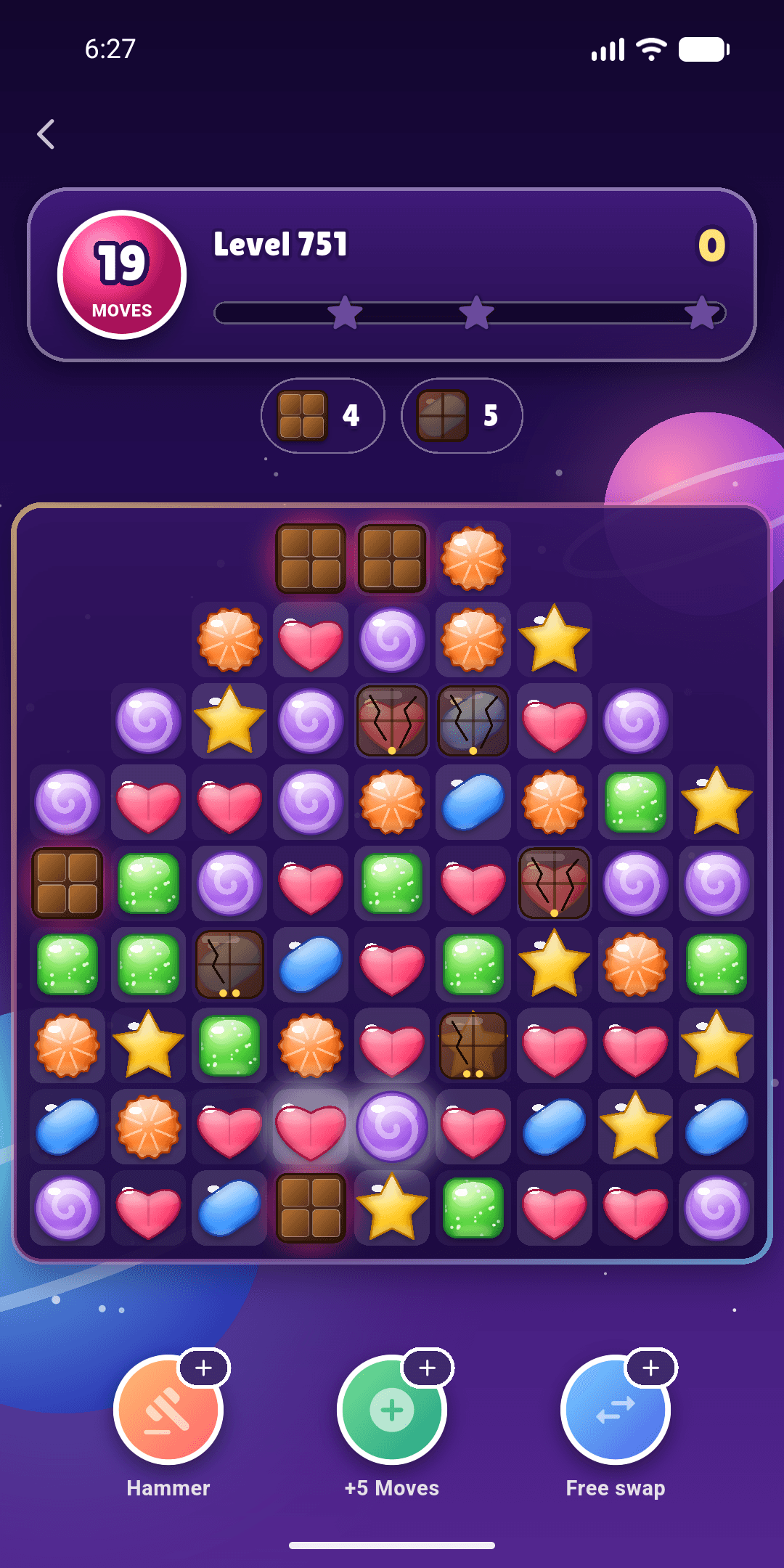
Players swap neighbouring sweets to line up three or more of the same colour. Matches clear, new sweets fall into place and cascades follow. Each level sets a goal and a fixed number of moves.
Your mascot hops along a glowing path through 200 worlds of ten levels each. A fast-forward flight takes you straight to where you left off.
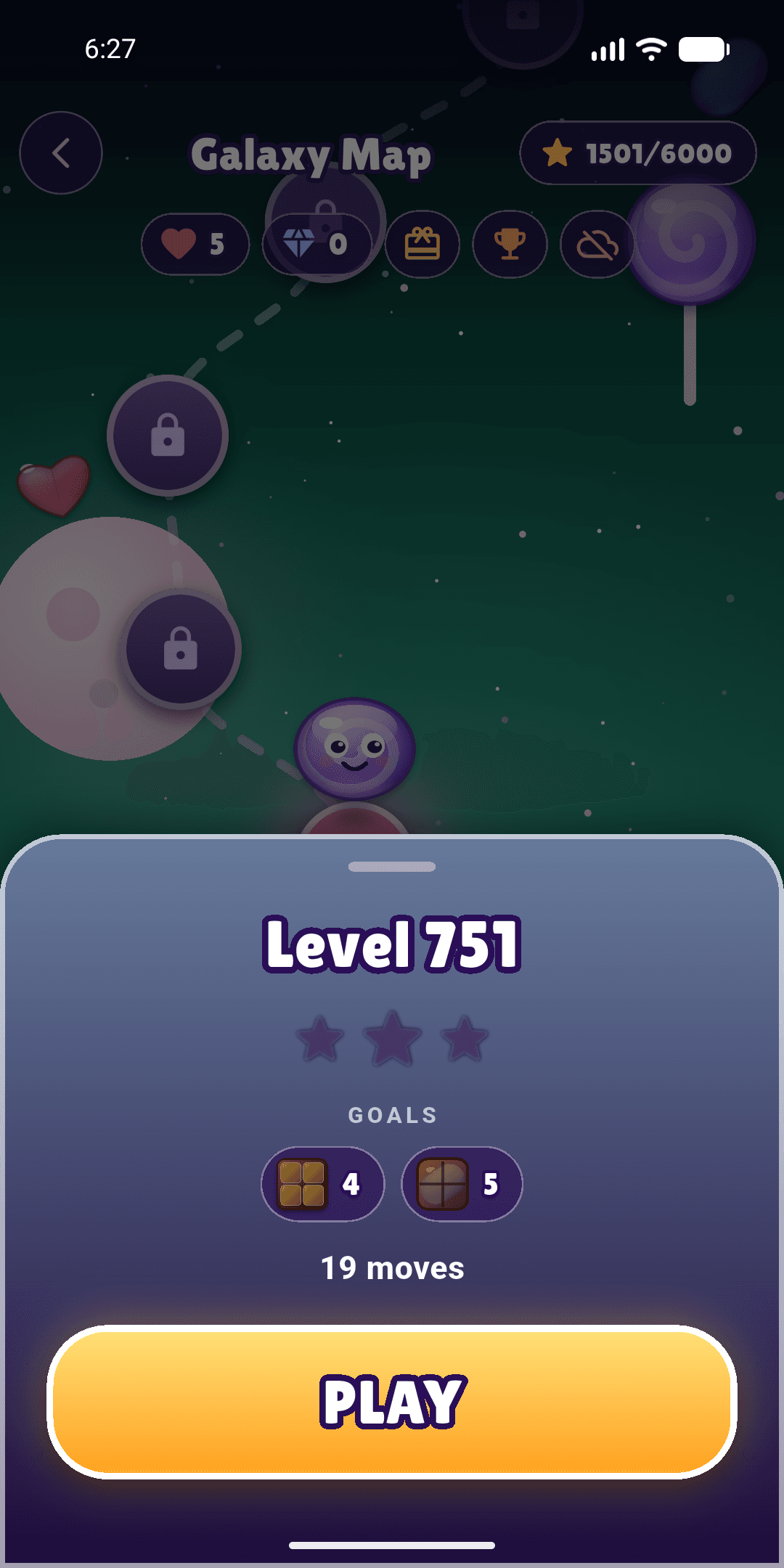
Before you start, a sheet shows what this level wants: a score, jelly, colours, cherries or chocolate, and how many moves you have.
Four, five, L and T shapes make special sweets. Swapping two specials together is where the big moves are.
Finish the goal with moves to spare. Stars count towards the Galaxy Stars leaderboard on Google Play Games.
Special candies
Behaviour described here matches the game engine exactly.
Clears an entire line. A vertical match of four creates a candy that clears its row; a horizontal match of four creates one that clears its column.
Tip. The stripe direction shows which line will be cleared.
Goals and blockers
Early worlds introduce one objective at a time. Advanced levels combine several, such as clearing jelly while bringing cherries down and containing spreading chocolate.
The simplest goal. Hit the target before your moves run out. Stars depend on how far past it you go.
Make matches on top of jelly to clear it. Double jelly needs two.
Gather a set number of one or more colours.
Cherries can't be matched. Clear the candies under them until they reach the bottom row.
Chocolate can't be swapped. Match next to it to clear it, and if you go a whole move without clearing any, it spreads.
A caged candy can't move. Match it where it stands to break the cage.
Bars sit on top of a candy, one to three layers thick. Each match beside one, or blast through it, peels a layer.
Boosters
Smash one sweet, buy a little more time, or swap two sweets that wouldn't normally match. Bought with gems, singly or in fives.
Leaderboards
See how your best score compares on each level, and where you stand across the whole galaxy. Pick your own display name in Account.
Accessibility
Turn on symbols so every sweet can be told apart without colour, reduce motion for gentler effects, and switch sound and vibration separately.
Store and ads
Gumdrop Galaxy is free to play. The items below are the only real-money purchases, all sold through Google Play as fixed packs. Prices are the UK prices set on Google Play; Google converts them for other countries and shows the final price, with any tax, before you pay.
Boosters and lives are bought with gems, not money. Prices may change; the price Google Play shows before you pay is the one that applies.
Gumdrop Galaxy is in internal testing on Google Play. General availability follows the completion of testing and Google Play review, with iPhone and iPad to follow. To join the testing programme, email us with the Google account you use on your phone.
Yes. Every level can be played without paying. You earn gems by winning levels and claiming the daily reward, and spend them on boosters and lives. Gems can also be bought, and there's a one-off purchase that removes the full-screen ads.
No. The game saves on your phone and syncs with our server when you're back online. Leaderboards and the store need a connection.
Open Account (the person icon on the home screen) and save your progress with an email and password. Sign in with the same details on the new phone.
Close and reopen the game first: an interrupted purchase is finished the next time the game starts. If it still hasn't arrived, email [email protected] with your Google Play order number (it starts with GPA.) and we'll sort it out.
The game is rated for everyone, but it's meant for players aged 13 and over because it has purchases, ads and an optional email account. Ads are limited to Google's all-ages (G) content.